



Purchased Badge for WooCommerce
Help customers quickly identify products they already own. Reduce duplicate purchases and improve user experience with customizable badges on shop, product, and cart pages.
What's new: changelog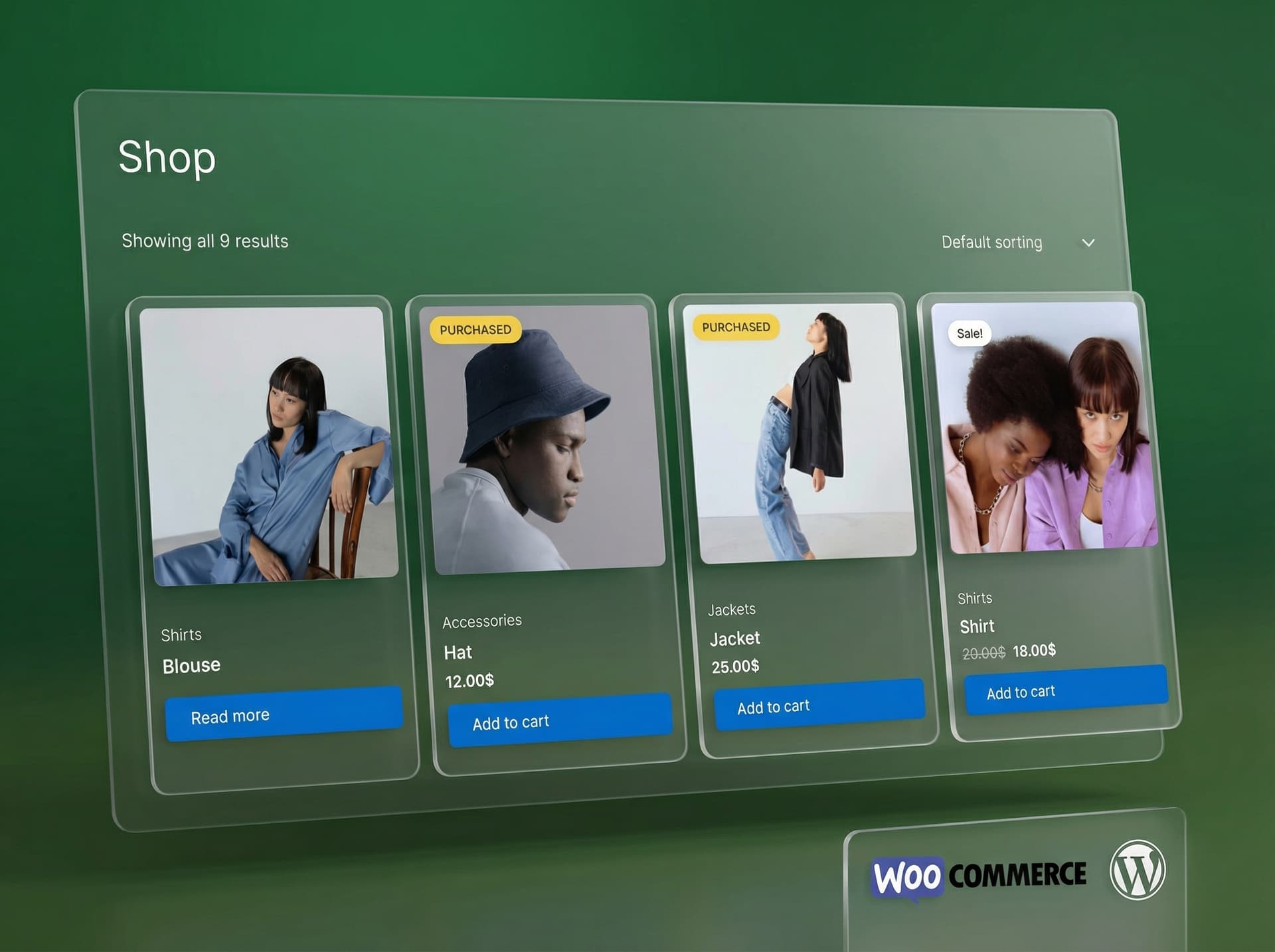
 HPOS CompatibleVariable ProductsAny WordPress Theme+ more
Everything You Need for Image SEO
Smart Purchase Detection
Automatically detects purchased products using the WooCommerce order API with configurable order statuses.
Shop & Category Badges
Overlay badges on product images in shop and category pages. Choose from 5 positions including top-left, top-right, and center.
Single Product Page Badge
Inline badges on product pages with 3 position options (above, below, or after title) and 3 style variants (default, pill, rounded).
Cart Page Badge
Show 'Previously Purchased' badges next to or below item names in the cart to help customers spot re-orders.
Full Design Customization
Customize colors, font size, padding, borders, border radius, and even a blur/glass effect, separately for each display location.
Order Status Control
Choose which WooCommerce order statuses count as 'purchased': completed, processing, or any custom status.
Performance Optimized
In-memory caching per user prevents duplicate database queries. Cache auto-clears on new orders and status changes.
Variation Support
Handles product variations correctly. When a customer buys any variation, the parent product is also marked as purchased.
WooCommerce Settings Panel
Full integration into WooCommerce Settings with 4 organized tabs: General, Shop Page, Product Page, and Cart.
Free, Every Feature Included
PurchaseCheck Badge is completely free and open-source. No paid tiers, no hidden costs.
Everything You Get with PurchaseCheck Badge
A comprehensive toolkit for WordPress image SEO, from AI generation to advanced analytics.
Display Locations
Badge Customization
Detection & Performance
Frequently Asked Questions
Still have a question?
If you couldn't find the answer above, visit our support portal for guides, troubleshooting help, and plugin support resources.
Ready to Show Customers What They Already Own?
Use PurchaseCheck Badge to highlight previously purchased products and make repeat shopping easier.