
Cart discounts and order limits are how B2B stores sell. B2B buyers think in orders, not single products. A wholesale customer wants to know: how much do I need to spend to get a better deal? What is the smallest order you accept?
B2B Suite 1.5 answers those questions. You can now give a discount on the whole cart, set order limits, and plan price rules ahead with start and end dates. All of this is in the free plugin.
1.5.1 and 1.5.2 followed with security fixes. Please update to the latest version.
Cart discounts by order size
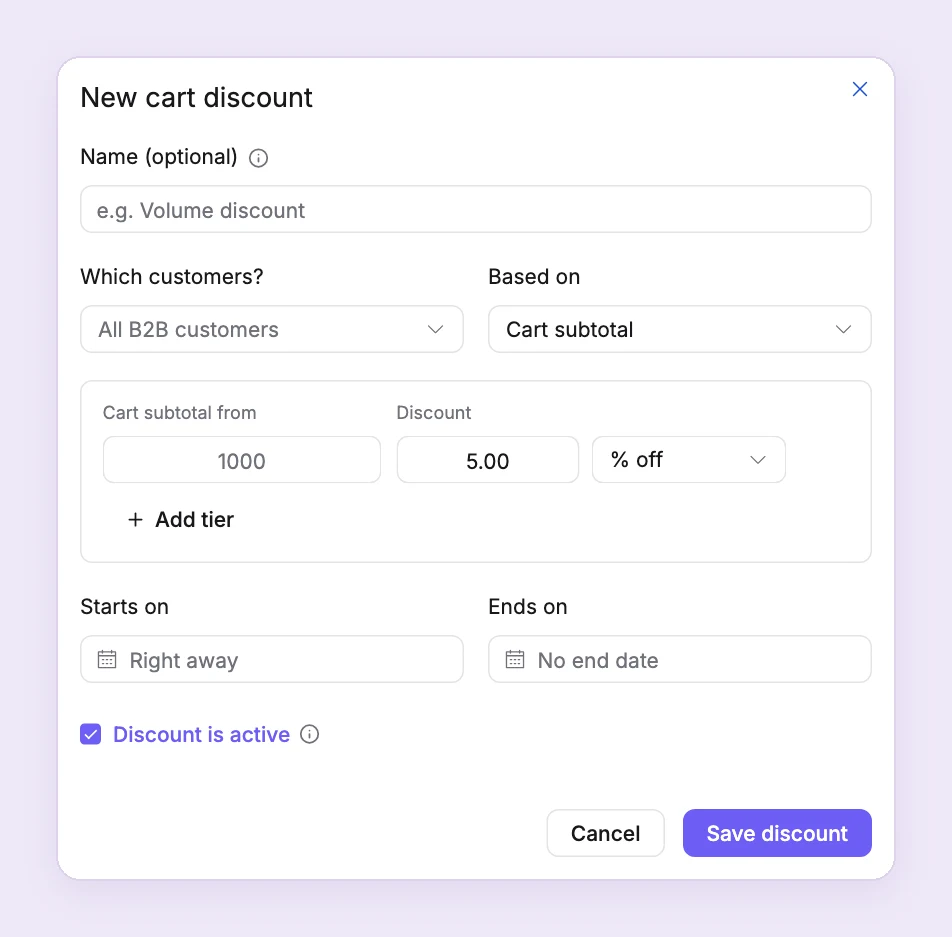
Cart discounts give a discount when the cart reaches a set amount. For example, “5% off over $1,000”. A cart discount can apply to every B2B customer, or only to the groups you choose.
Buyers see a short note in the cart, like “Spend $120 more to get 5% off your order.” This helps them add a few more items to reach the next level.
With Pro, cart discounts can have several tiers. You can add them (for example 5% over $1,000 and 10% over $2,500). Pro can also base the discount on the number of items or the total weight.
Minimum and maximum orders
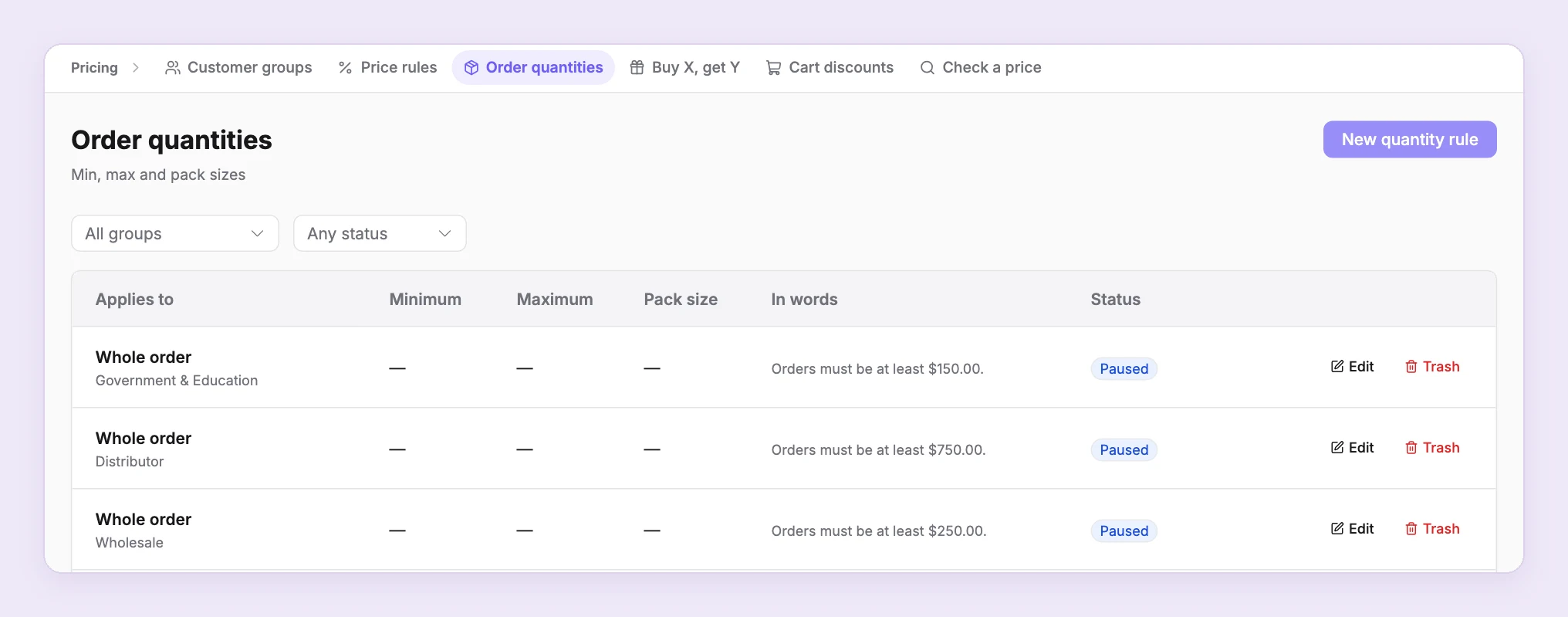
Set the smallest and largest order you accept. You can limit the order value, the number of items, or both.
The buyer sees a clear message in the cart, and checkout waits until the order fits the limit. With Pro, you can set different limits for each customer group.
If you imported order minimums from another plugin, they are paused once after the update. Check them, then switch them on under Order quantities.
Rules with start and end dates
Price rules, cart discounts and “Buy X, get Y” deals now have an optional start and end date. Plan a seasonal price in advance. It starts on its own and stops on its own.
Prices with or without VAT, per group
Choose for each group whether prices show with or without VAT. You can also add text after the price, like “per case” or “excl. VAT”.
More in 1.5
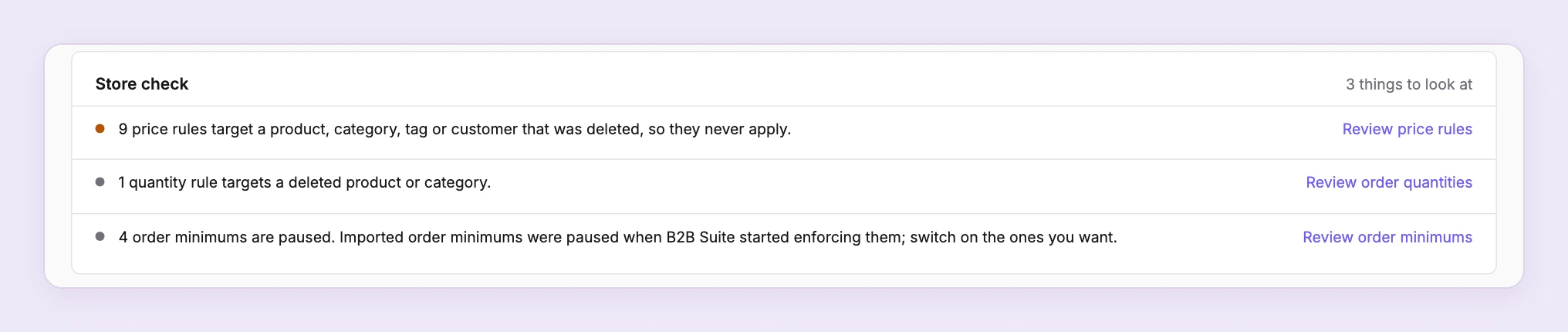
- Store check. It looks for setups that don’t work, like a price rule for a product that was deleted, and links you straight to the fix.
- Export price rules to CSV. With Pro, you can import them back, with a preview first.
- A registration form can add approved buyers to its own group. Use one form for retailers and another for distributors.
- Trash for quantity rules and Buy X, get Y deals. Deleted by mistake? Restore it.
- A simpler dashboard with one date range for the whole page.
- A cleaner admin. Help text now sits behind small info icons.
- The bulk order form shows “Packs of 5” for pack sizes.
New in Pro
- Hide a product from chosen groups. Or make it B2B-only or retail-only.
- The bulk ordering matrix replaces the variation dropdowns for B2B buyers. A compact layout is used for products with one option.
- Start and end dates in the price table and in deals.
- The Net terms list flags overdue accounts.
Security updates: 1.5.1 and 1.5.2
After 1.5.0, we ran a full security review of the plugin. 1.5.1 and 1.5.2 fix what we found. We strongly recommend that every store updates.
The fixes include:
- Guests can no longer see prices through other routes when prices are hidden.
- The registration form only accepts the form shown on the page, and uploaded files get names that can’t be guessed.
- A customer can no longer attach a message to another customer’s quote or order.
- Only administrators can change the AI Connect and uninstall settings.
- A customer can send at most 30 messages in 10 minutes.
1.5.1 also makes imports from B2BKing, WholesaleX and Wholesale Suite more accurate. They now bring over sale prices, order limits and rule dates.
If you use B2B Suite Pro, please update Pro to 1.5.2 as well. It has its own security fixes for quotes, catalogue visibility and tax exemption.
Also fixed in 1.4.1
- The “Save 20%” badge now shows next to B2B prices when the setting is on.
- “Text after the price” now shows after B2B prices.
- Category quantity rules (Pro) now count a product’s total across its variations.
See the full list in the changelog on WordPress.org.
Update now
Update from your Plugins screen. Your settings and data stay as they are, and any database change is applied automatically.
New to B2B Suite? Get it free on WordPress.org.
Questions about the update? Contact our support team at support.softminal.com.